Overview
Important
This site has only the latest documentation, built from the master branch. The documentation for each Rally release is on Read the Docs.
Rally is a tool for testing how a system behaves under load. You describe what to do, how hard to push and what counts as success in a task file. Rally runs it, measures every iteration, keeps the results and turns them into reports.
The Rally core has no code for any particular system; plugins connect it to one. OpenStack support comes from the rally-openstack package, a few generic plugins (for example, HTTP requests) ship with Rally itself, and you can write plugins for your own services.
Note
This documentation covers two projects: Rally, the platform-agnostic core, and rally-openstack, the plugin package for testing OpenStack clouds.
Where to start
Evaluating Rally? Read on: the rest of this page shows what Rally does and how its parts fit together.
Running your first task? Install Rally, then follow the tutorial.
Testing an OpenStack cloud? The tutorial uses rally-openstack throughout;
rally env create --from-sysenvtakes the credentials from yourOS_*variables. Verification Component covers Tempest.Writing plugins? Start with Rally Plugins.
Contributing to Rally? See Contribute to Rally.
Is Rally for you?
- You want to know where your service breaks.
Rally runs the same scenario many times, with as many at once as you ask for, and times every step inside each run. You see at which load response times grow or errors start, and which call is to blame. Start with the tutorial.
- You need to check a cloud after a deploy or an upgrade.
Reuse your load tasks with a lighter load, without editing them. Verification runs a functional test suite such as Tempest and shows what broke since the last run. See Task Component and Verification Component.
- You want CI to catch performance regressions.
Run the same task on every change. SLA criteria, such as "no failures" or "no iteration slower than two seconds", turn the numbers into a pass or a fail, and the trends report shows how the numbers move from run to run. rally-openstack itself is tested this way.
- You are choosing between setups.
Run one task against two configurations, versions or hardware choices, and put the results side by side in one report. See Task Component.
- You want to watch production the way users see it.
Run small tasks in a loop and export every result, for example to Elasticsearch. See Plugins Reference for the exporters.
Who uses Rally
Want your organization added, changed or removed? Send a patch.
What Rally is made of
Rally has three parts, each a command group of the rally CLI and a
section of these docs. There is no daemon: each command reads and writes the
Rally database (SQLite by default) and exits. Every result stays there, so
old runs remain comparable with new ones.
|
|
|
|
|---|---|---|
The system you test: where it is and how to reach it, for example the URL and credentials of an OpenStack cloud. You create it once, and tasks and verifications run against it. |
Load tests: runs the scenarios of a task file, measures every iteration, checks the SLA criteria and builds reports. |
Functional tests: installs an existing test suite such as Tempest and runs it against the environment. |
What it looks like
A task is one test run, described in a YAML or JSON file. This one sends 20 HTTP requests, 5 at a time, and passes only if all of them succeed:
---
version: 2
title: "HTTP request check sample"
description: "Sample task demonstrating HTTP request validation scenario"
tags: ["http", "requests", "sample"]
subtasks:
  - title: "HTTP request validation"
    scenario:
      HttpRequests.check_request:
        url: "http://www.example.com"
        method: "GET"
        status_code: 200
        allow_redirects: False
    runner:
      constant:
        times: 20
        concurrency: 5
    sla:
      failure_rate:
        max: 0
{
    "version": 2,
    "title": "HTTP request check sample",
    "description": "Sample task demonstrating HTTP request validation scenario",
    "tags": ["http", "requests", "sample"],
    "subtasks": [
        {
            "title": "HTTP request validation",
            "scenario": {
                "HttpRequests.check_request": {
                    "url": "http://www.example.com",
                    "method": "GET",
                    "status_code": 200,
                    "allow_redirects": false
                }
            },
            "runner": {
                "constant": {
                    "times": 20,
                    "concurrency": 5
                }
            },
            "sla": {
                "failure_rate": {
                    "max": 0
                }
            }
        }
    ]
}
scenariois what to run, with its arguments: here, one HTTP request.runneris how to run it: how many times and how many at once.contexts(not needed here) create what the test needs before it starts, such as users or networks in an OpenStack cloud, and delete it afterwards.slasays what counts as a failure: here, any failed request.
You can make a test more complex with hooks: a hook runs an action, such as restarting a service, at a given moment of the load. See Task Component.
Run it and build a report:
$ rally db create
$ rally env create --name local
$ rally task start check-request.yaml
$ rally task report --out report.html
rally task start validates the task and runs it. A task that fails its
SLA is still marked as finished, but the command exits with code 2, so a CI
job fails; the report shows what went wrong. The statuses a task can have
are listed in Task statuses.
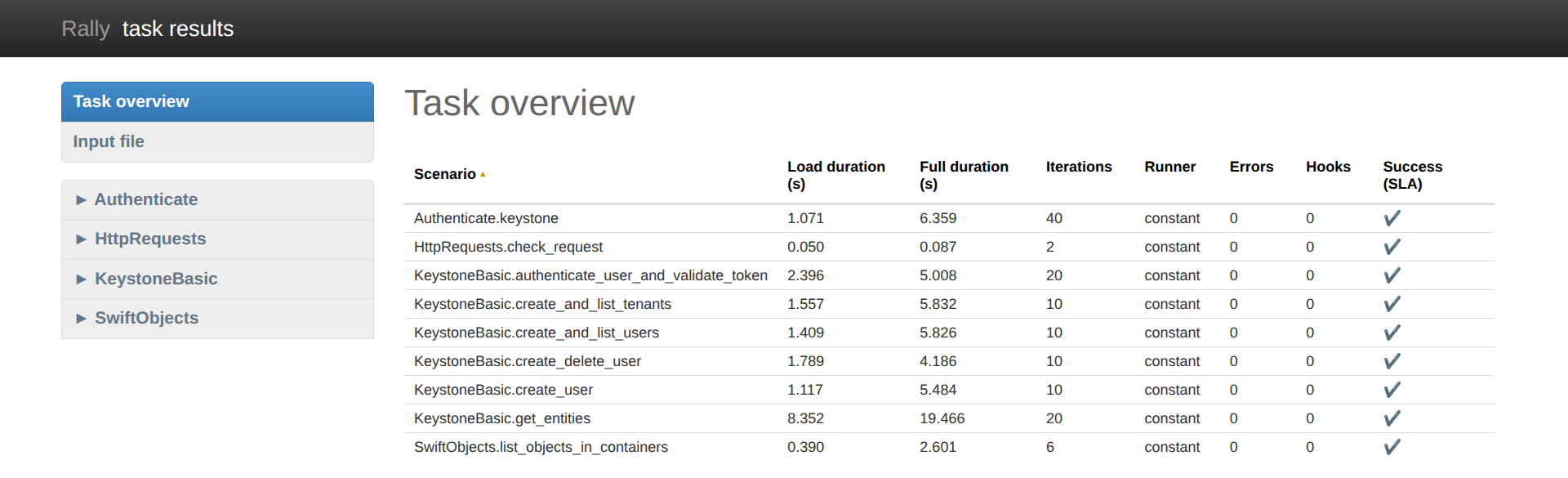
The report is a single HTML page. Its overview lists every workload with its duration, iteration count, errors and SLA result:
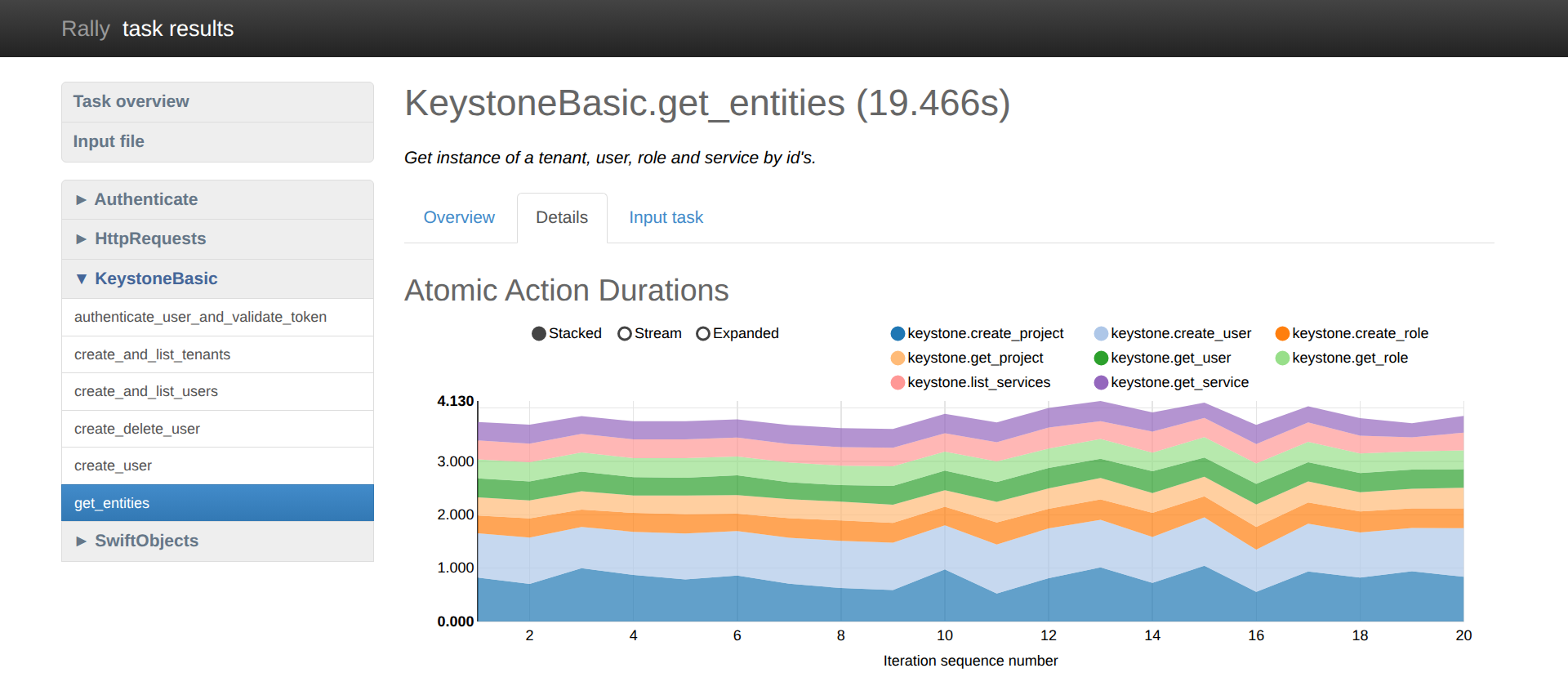
Each workload has its own page with tables and charts. This one shows how long each step of every iteration took, so a step that gets slower stands out:
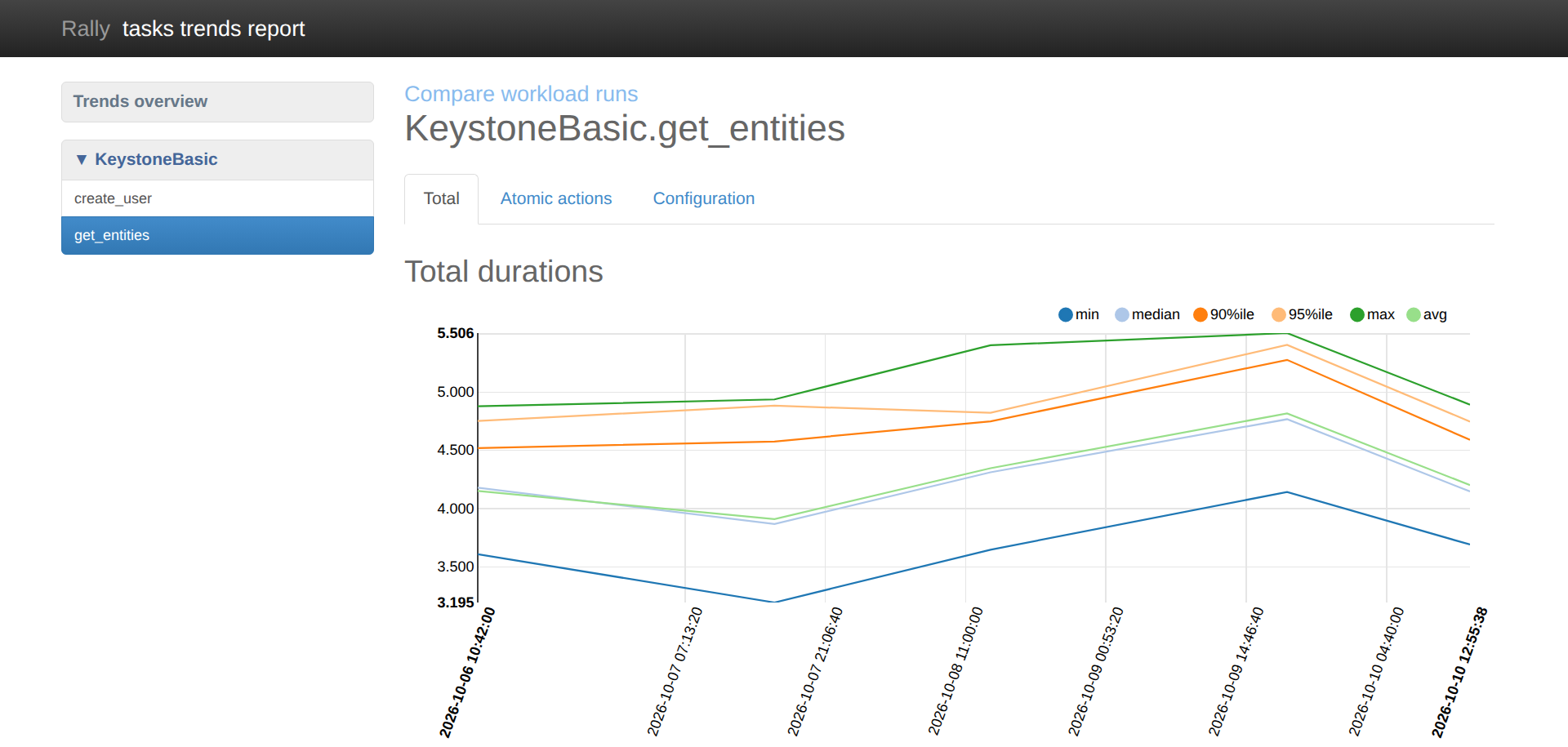
The trends report puts many runs of the same task together. Here one day's
runs were slower, and the report's atomic actions tab shows that
keystone.create_user was the step to blame:
Besides these reports, rally task export writes the results as JSON or
JUnit XML, or sends them to Elasticsearch.
Plugins
Every part of Rally is built from plugins:
environments from platforms, which know how to reach one kind of system;
tasks from scenarios, runners, contexts, SLA criteria, hooks and their triggers, and exporters;
verification from verifiers and reporters.
Rally loads plugins from every installed package that declares a
rally_plugins entry point, so its own plugins, rally-openstack's and
yours work together: an OpenStack scenario with your own SLA criterion, or
your own scenario with a built-in runner. See Rally Plugins and the
Plugins Reference.
What Rally is not
Not a metrics agent. Rally measures what its scenarios do, from the client side. It does not collect metrics such as CPU or memory usage from inside the system under test; your metrics stack does that. For OpenStack, Rally can record OSProfiler traces of the calls inside the services, see Step 10. Profiling OpenStack Internals.
Not a replacement for your test suites. Verification runs existing suites and keeps their results; it does not replace them.
